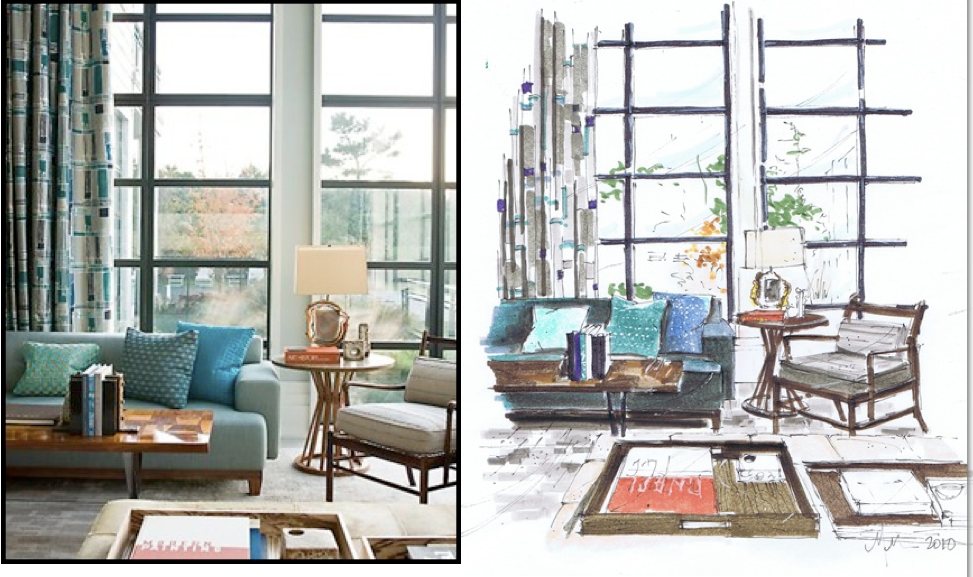
As many of you know, nothing online will ever compare, for me and the Hadley Court team, with the beauty and artisanship of a professionally hand rendered sketch like the one above by Toronto designer, artist and blogger, Michelle Morelan, who pens the exquisite blog, A Schematic Life.
I‘ve written before about hand renderings, here , a post you really liked, but today, I’m going to share with you my comparisons and thoughts on 5 of the best online 3D interior design software applications or *apps*, as they are commonly referred to in the industry.
I recently spoke about these software applications to consumers who attended the Houston New Home and Remodeling Show last weekend and today’s post will share with you, Hadley Court, readers, a summary of that information.
Meet AutoDesk’s HomeStyler, Sketch Up, Olioboard, 3Dream.net and Minutes Matter
Have you ever wanted to avoid costly mistakes and save time by being able to visualize, very quickly, in 2d or 3D, the furniture, art and accessories you are considering buying, before you buy them? Do you want to be able to upload your own room, any item you want into a set and then drag and drop all of that around to see how different combinations look together? Do you want to be able to do that privately? Do you want to then compare pricing so you stay on budget? Do you want to be able to filter your selections by brand, color, price, room, and piece and then buy them, too? Do you want to embed this on your website, blog or upload it to Pinterest to share your style and taste with others? Try Olioboard.
This Olioboard, below, was created by Hadley Court contributor, Lynda Quintero-Davids.
{ Be watching for Lynda’s wonderful Father’s Day post -to help you shop for Dad gifts, this coming Friday.}

This Olioboard was created by designer Jennifer Reynolds Interiors, by uploading her client’s room into Olioboard, dragging and dropping the furniture and accessories she wanted to use into it from her *set* on Olioboard, and then downloading it, uploading it into Instagram, and putting a filter on it. For more on this process, and her client’s reaction, see Jennifer’s post about it here.
Here’s how easy it is to use Olioboard’s filter function to see your options and save time.

Have you ever wanted to be able to create a floor plan *to scale*, layer in wall color, all interior details, including windows, trim, lighting aspects, etc. and then, with a click, see it pop up in 3D and then take a 360 degree tour of it from any angle and also be able to upload your own room into it..and do the same thing AND try out real pieces from real manufacturers and turn then to any angle and have all the details to make it easy for you to shop offline and save time? Try 3Dream.net
These 3 snapshots below were taken from their excellent video tutorial. { See links to those videos, for each app listed, at the end of this post.}


Have you ever wanted to insert various windows into your designs and then try out different window treatment options? The app that specializes in this and that has partnered with window treatment expert, Jackie Von Tobel? Minutes Matter. {Kim Darden Shaver interviewed Jackie and her partner in Soft Design Labs, trend expert Deb Barrett, in a previous post on window treatment trends, here}


Have you ever wanted to be able to change out and see countertop options in your kitchen, or in any room of your home, so you can see what various materials might look like with your furniture and textile selections - before you make the commitment to that large purchase? Do you want to do that in scale? Do you need to change scale from meters to inches or vice versa? Do you want to see the entire area with transparent walls, to see how each piece relates to the other and then want to be able to take a high res snapshot to share it from any angle? Do you want to add and share your completed designs to a community of over 2 million users? Do you want to do this for free..and on your IPad or IPhone in a native app and then share it on your social media channels? Try Autodesk’s Homestyler.
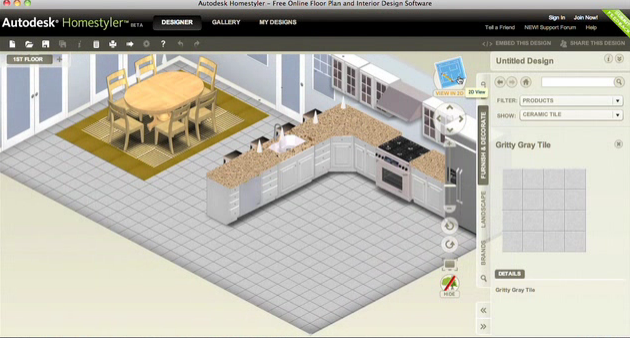

This is a high res snapshot taken from a 3D rendering created on Autodesk’s Homestyler free 3D interior design app.
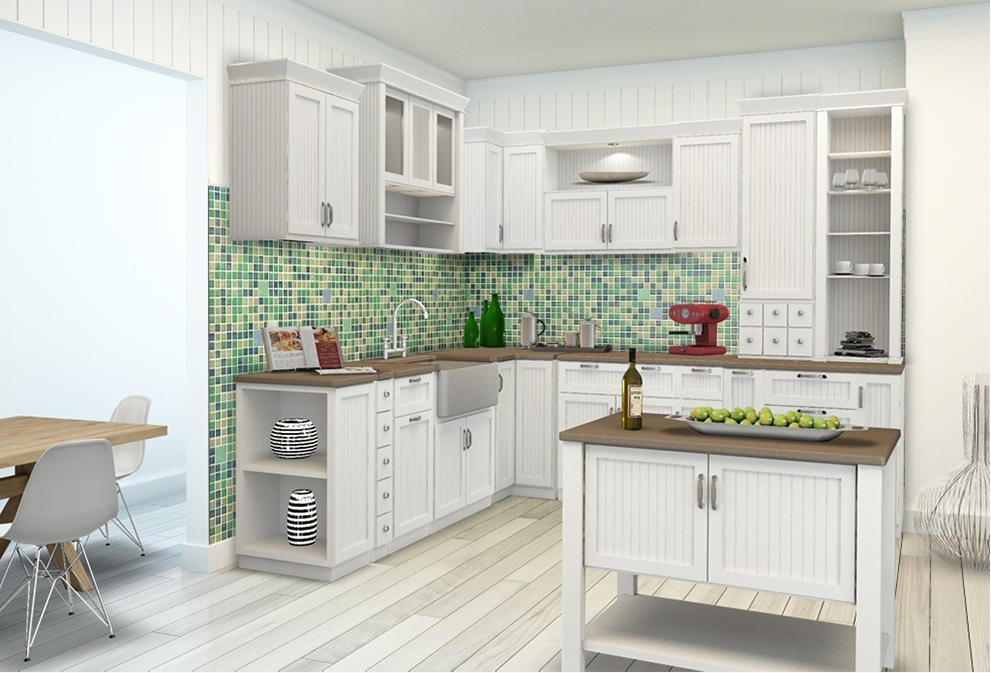
Autodesk is partnering with some our industry’s most well known brands so you can upload these products into your designs. Here are a few from their website.

And lastly, if you love to build things from the ground up, and need an extremely robust tool, Sketch Up’s software empowers you to program in every single detail and is widely used by architects, interior designers, kitchen and bath designers and engineers the world over. The two screenshots below were created using Sketch Up.


Which tools are free to use, but also have a PRO option that gives you additional benefits? AutoDesk Homestyler, Olioboard and 3Dream.net. Which tools are available only by subscription but are reasonably priced and worth it if you need the more specialized features they offer? Minutes Matter and Sketch Up.
All of the tools come with extensive video and learning tutorial backups on You Tube or Vimeo and on their own sites and many of them have communities of people already using them, willing to help you learn what you need to know.
Here are the introductory video tutorial links for each of these software apps if you’d like to watch them:
Autodesk’s Homestyler, Minutes Matter, Sketch Up, Olioboard and 3Dream.net
As you already know, readers, nothing compares with the services of a professional interior designer, as they are not only visual artists and creatives, but have extensive resource knowledge, construction knowledge, sourcing knowledge, performance knowledge and project management knowledge that are invaluable to you.
I wrote, here, about how and why working with a professional interior designer saves you so much money and time.
The software apps I’ve compared for you today, however, are excellent tools to help the communication process between you, your designer, architect, and their sub-contractors flow smoothly and seamlessly.
I hope this has been helpful to you and we’d love to hear your thoughts in the comments.
~~~
Leslie Carothers
for
Leslie Hendrix Wood
Decorator
Chancellor Interiors
Midland, Texas
Founder, Editor In Chief
Hadley Court
~~~~~
Gracious Living. Timeless Design. Family Traditions.
~~~~~
You’re invited to please subscribe to the Hadley Court blog, here, and to follow Hadley Court on Pinterest, Facebook, G+ and Twitter, here, here, here and here


Wow! So much great information and fantastic examples, Leslie! Thank you!
Thanks so much Leslie! I enjoy both hand work and SketchUp, and am seeing each for it’s design and presentation value…the fact is, clients want to see it first…that will never change
great! thank you for the article.
Beautiful interior designing and interior furnishing!
Nice interior designing and interior furnishing!